Master Account Mapping in HubSpot: How to Build Org Charts for Better Sales Alignment
Account mapping is a game-changer for sales teams aiming to win complex B2B deals. By visualizing key contacts, decision-makers, and influencers, sales reps can strategize more effectively and close deals faster. One of the most powerful ways to organize your account mapping efforts is by using org charts within your CRM. In this guide, we’ll show you step-by-step how to build account maps in HubSpot using org charts—so you’ll always know who matters most in every deal.
Why Account Mapping Matters in HubSpot
Account mapping isn’t just a buzzword—it’s a proven sales tactic that gives you an edge in high-stakes deals. Leveraging account mapping in HubSpot allows your team to:
- Identify key stakeholders and their roles
- Spot relationship gaps in complex organizations
- Pinpoint the fastest path to a “yes”
- Collaborate more effectively with your sales team
By integrating org charts into your HubSpot workflow, you visualize these relationships, making it easier to navigate organizational structures.
What is Account Mapping?
Account mapping is the process of visually organizing contacts within a target company to understand their roles, responsibilities, and influence over purchasing decisions. An org chart (organizational chart) is a visual tool that helps you map these relationships—making abstract sales data actionable for your team.
How to Build Account Maps in HubSpot Using Org Charts
Ready to get started? Follow these actionable steps:
1. Prepare Your HubSpot Data
Before mapping out accounts, ensure your contact and company records in HubSpot are clean and up-to-date. Import any missing contacts, and ensure every key stakeholder has a complete profile with job title, department, and contact info.
2. Identify Key Stakeholders
Within the target account, use HubSpot’s properties and filters to segment contacts by:
- Decision-maker
- Influencer
- Champion
- Blocker
Tip: Customize HubSpot contact properties or create custom fields if your sales process requires additional segmentation.
3. Choose Your Org Chart Tool
HubSpot doesn’t offer native org chart functionality. But you have several integration options:
- Third-party apps: Solutions like Lucidchart, OrgChartHub, and Smaply offer plug-and-play integration with HubSpot. These apps pull contact data from HubSpot and let you drag-and-drop contacts into your org charts.
- Manual approach: Export contact lists from HubSpot and build org charts using Google Drawings, Microsoft Visio, or Miro. Upload or link the finished diagrams to the relevant HubSpot company record.
Pro Tip:
OrgChartHub is a popular choice and offers direct integration—making it seamless to view and update org charts from within HubSpot.
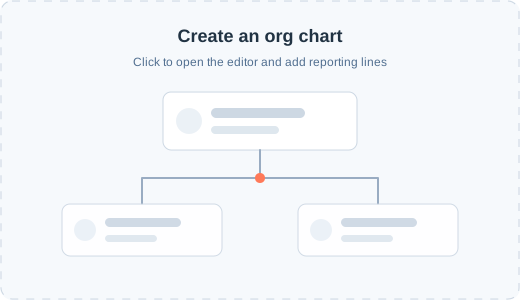
4. Build the Org Chart
Once your tooling is ready:
- Start with the top decision-maker or C-level executive.
- Add direct reports and relevant stakeholders below them.
- Connect individuals to show reporting and influence lines.
- Annotate contacts with useful insights, such as decision status, last engagement, or personal notes.
5. Collaborate and Keep It Updated
Share your account maps with your sales and customer success teams. In HubSpot, use deals, notes, or tasks to highlight strategic moves or request help with introductions. Make it a habit to update the org chart after every major development or meeting.
6. Leverage Account Maps in Your Sales Process
- Reference the org chart before every call or meeting.
- Use it to plan outreach, orchestrate multi-threaded communication, and avoid single-thread risk.
- Track relationship progress and identify new champions or blockers.
Best Practices for Account Mapping with HubSpot Org Charts
- Stay proactive: Update your maps regularly, especially after significant organizational changes.
- Centralize knowledge: Attach org charts directly to HubSpot company or deal records for easy team access.
- Prioritize privacy: Ensure mapped data complies with GDPR and company privacy policies.
- Integrate insights: Use workflows or automation to trigger alerts when influential roles change.
Final Thoughts
Building account maps in HubSpot using org charts transforms static contact lists into dynamic, actionable sales plans. With the right integration and best practices, your team will gain deeper insights into customer organizations, shorten sales cycles, and drive more revenue.
Start implementing account mapping in your HubSpot instance today—and watch your deal win rates rise!
Want to build powerful account maps that fuel sales growth?
Explore HubSpot’s app marketplace for org chart integrations and boost your team’s sales intelligence overnight!