Unlocking Sales Success: How to Identify Decision Makers with Org Charts in HubSpot
In today’s competitive marketplace, finding the right decision makers within a target company can make or break your sales strategy. With the power of HubSpot org charts, sales teams can streamline prospecting, close deals faster, and build stronger relationships. This guide will show you exactly how to leverage HubSpot to identify decision makers and maximize your sales efforts.
Why Identifying Decision Makers Matters
Targeting the right person is crucial in any sales process. Talking to someone without purchasing power often leads to dead ends, wasted time, and missed opportunities. By pinpointing decision makers from the outset, you:
- Increase your chance of deal success
- Shorten sales cycles
- Build rapport with those who truly matter for your sales strategy
HubSpot Org Charts: Your Secret Weapon
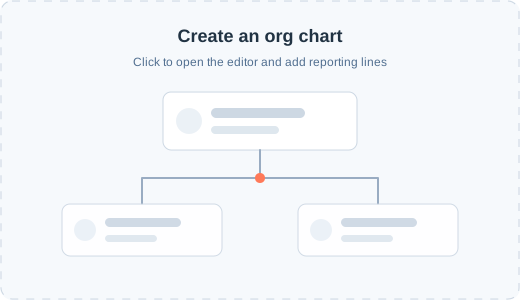
HubSpot org charts are visual maps of an organization’s internal structure. They give you clarity on:
- Who holds decision-making authority
- How teams and departments are connected
- Where influencers and gatekeepers sit within the company hierarchy
HubSpot makes it easy to attach org charts to your contact and company records, enabling quick reference for every prospect.
Step-by-Step Guide: How to Identify Decision Makers Using HubSpot Org Charts
1. Build and Attach Org Charts
Start by gathering information about your prospect’s organization. With HubSpot, you can:
- Use contact records to map out reporting relationships
- Add custom properties or notes with titles and responsibilities
- Leverage third-party integrations to enrich your org charts with verified data
Attach these charts directly to company records for easy team access.
2. Analyze Roles and Titles
Decision makers often have titles such as:
- CEO, COO, CFO, or CMO for C-level decisions
- VP, Director, or Head of Department for functional area choices
- Manager or Team Lead for day-to-day purchases
Review the org chart to spot these key roles.
3. Trace Lines of Influence
Beyond formal titles, look for:
- Dotted-line relationships: influential advisors or technical evaluators
- Cross-functional liaisons: connections between departments that may sway decisions
HubSpot org charts help you visualize not just who’s in charge, but also who influences buying decisions.
4. Confirm and Update Information
Before reaching out, confirm the org chart with a friendly contact at the company, or cross-reference with LinkedIn or email introductions. Always keep your HubSpot org charts updated for accuracy.
5. Personalize Your Outreach
Once you know the decision makers, tailor your messaging to their role and challenges. Use insights from the org chart to reference relevant stakeholders or concerns—demonstrating that you’ve done your homework and understand their internal dynamics.
Pro Tips for Sales Strategy Success
- Collaborate with your team: Use shared org charts in HubSpot to keep everyone aligned on account strategy.
- Leverage automation: Let HubSpot workflows remind you of follow-ups with key decision makers.
- Monitor organizational changes: Set alerts for updates or new hires that could affect your sales approach.
Final Thoughts
Identifying decision makers is the cornerstone of an effective sales strategy. HubSpot org charts simplify this process, empower your team, and give you a competitive edge. Start using org charts in HubSpot today—and watch your sales results soar.
Ready to supercharge your prospecting? Explore HubSpot org charts and elevate your sales strategy now!
Keywords: decision makers, HubSpot org charts, sales strategy