Turning HubSpot Contacts into Powerful Account Maps for Relationship Mapping
Managing and nurturing business relationships is crucial to achieving sales and customer success. But as your database grows, making sense of all your HubSpot contacts can get complicated. That’s where account maps and relationship mapping come in. In this guide, learn how to transform your HubSpot data into actionable visual maps that deepen relationships and drive strategic results.
What Are Account Maps and Why Do They Matter?
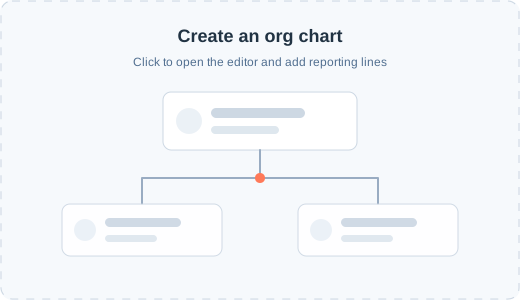
Account maps are visual representations of key contacts and decision-makers within an organization. They show how individuals relate to one another, their roles, and the influence they have on purchasing decisions.
Relationship mapping is the process of documenting and visualizing relationships between stakeholders. For sales and account managers, this empowers smarter engagement, uncovers hidden influencers, and identifies critical paths for closing deals.
Why is this important?
- Better context: You immediately understand who’s who inside complex buying groups.
- Personalized outreach: Tailor your messaging based on true influence networks.
- Stronger deals: Reduce risk by engaging stakeholders beyond your initial champion.
Challenges with HubSpot Contacts
HubSpot is a powerhouse for managing contacts and tracking engagements. However, it lacks native tools for visual account maps or advanced relationship mapping. Most companies struggle to translate a growing list of HubSpot contacts into the strategic insights needed to win complex deals.
Common Issues
- Siloed data: Contacts are often scattered, making it hard to see the bigger picture.
- Missed connections: Without visibility, key influencers or blockers may go unnoticed.
- Manual updates: Relationship knowledge lives in sales reps’ heads, not in your CRM.
How to Build Account Maps from HubSpot Data
Luckily, there are ways to turn your HubSpot contact list into strategic gold. Here’s how:
1. Export and Organize HubSpot Contacts
Start by exporting your HubSpot contacts with key properties:
- Name
- Job title/role
- Company
- Relationship to account (Champion, Decision Maker, Influencer, etc.)
- Engagement data
2. Identify Key Stakeholders
Segment stakeholders by:
- Buying role (economic buyer, technical buyer, end user, etc.)
- Department and location
- Existing relationship strength or previous interactions
3. Visualize Relationships with Account Mapping Tools
Use external tools or HubSpot integrations (such as Lucidchart, OrgChartHub, or Smaply) to build your relationship maps.
- Drag and drop contacts into positions.
- Draw relationship lines (positive, neutral, or negative).
- Use icons, colors, and notes to summarize interactions.
4. Sync Insights Back into HubSpot
After mapping, import key findings to HubSpot contact records.
- Add custom fields for “Influence Level” or “Internal Relationship”
- Update notes with relationship history
- Schedule tasks for relationship building
5. Keep Your Maps Updated
Account maps are living assets:
- Update after every significant meeting or deal stage
- Involve the whole account team for accuracy
Pro Tips for Smarter Relationship Mapping
- Automate where possible: Use workflows and integrations to sync data between your account mapping tool and HubSpot.
- Align with sales process: Tie relationship mapping reviews to deal pipeline stages.
- Empower the team: Train reps to gather relationship insights during their regular outreach.
Top Tools for Account Mapping with HubSpot Contacts
- OrgChartHub: Directly integrated with HubSpot for easy org chart building.
- Lucidchart: Powerful for custom relationship maps, with HubSpot data syncing.
- Smaply: Great for journey and relationship mapping.
Conclusion: From Data to Account Intelligence
Visualizing your HubSpot contacts through account maps unlocks the real power of relationship mapping. It shifts your sales strategy from a contact list to a relationship-driven approach, helping you win more deals, reduce risk, and nurture lasting partnerships.
Ready to map your next major account? Start turning your HubSpot data into actionable visual maps today and stay ahead in the relationship-driven sales game.
Keywords: HubSpot contacts, account maps, relationship mapping
Recommended Reading: How to Organize Contacts in HubSpot for Maximum Impact, Best Account Mapping Tools for 2024