Visualizing Stakeholders in HubSpot: The Key to Winning More Enterprise Deals
Managing enterprise sales is rarely a solo act. The more complex the deal, the larger the buying committee—and the greater the need to keep track of every key player. But as any enterprise rep knows, mapping stakeholders can quickly get chaotic. That’s where leveraging stakeholder visualization in HubSpot can make a transformative difference.
In this post, we’ll break down how to visualize HubSpot stakeholders, why it matters for enterprise sales, and actionable steps to manage stakeholder relationships more effectively.
Why Stakeholder Visualization Matters in Enterprise Sales
In modern enterprise sales, decisions are highly collaborative. According to Gartner, the average B2B buying group now includes 6-10 decision makers. Losing track of just one influencer can stall—or even sink—a deal.
Key Pain Points:
- Difficulty identifying all relevant stakeholders
- Lack of clarity on stakeholder influence, role, or sentiment
- Missed opportunities to engage or align key players
With strong stakeholder visualization, sales teams can:
- See all decision makers and influencers at a glance
- Plan tailored outreach for each stakeholder
- Avoid costly missteps or knowledge gaps during handoffs
How HubSpot Helps You Manage and Visualize Stakeholders
HubSpot CRM offers robust tools for tracking deals, but it shines when you actively map and visualize stakeholders. Here’s how you can leverage HubSpot stakeholders management for your advantage:
1. Use Custom Properties for Role and Influence
Standard contact properties are often too generic for enterprise deals. Add custom properties to each contact for:
- Stakeholder role (Decision maker, Influencer, Gatekeeper, etc.)
- Decision influence (High, Medium, Low)
- Current sentiment or advocacy level (Supportive, Neutral, Opposed)
2. Create Stakeholder Visualization Diagrams
Use HubSpot’s integrations or third-party apps (e.g., Lucidchart, OrgChartHub) to build visual stakeholder maps directly from your CRM data. These tools allow you to:
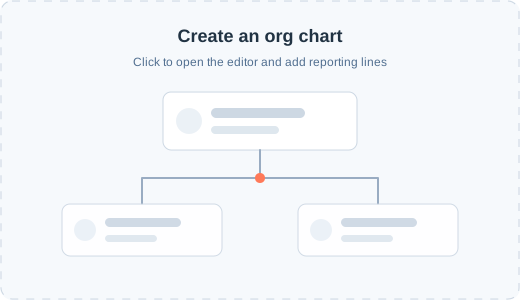
- Build org charts connected to HubSpot records
- Display relationships, reporting lines, and influence paths
- Update charts in real time as new contacts emerge
3. Leverage HubSpot Deal Notes & Timeline
Log every communication by tagging stakeholders and logging their reactions or feedback. Over time, this builds a powerful deal timeline—essential for enterprise sales team handovers and leadership reporting.
Step-by-Step: Setting Up Stakeholder Visualization in HubSpot
Ready to put these ideas into action? Follow these steps to get started:
Step 1: Identify and Tag Stakeholders in HubSpot
- Go to the relevant deal in your HubSpot pipeline.
- Link all associated contacts (not just the primary one).
- Add custom properties or tags for each stakeholder’s role and influence.
Step 2: Integrate Visualization Tools
- Explore OrgChartHub or similar apps from the HubSpot App Marketplace.
- Sync your contacts and use the tool to build your stakeholder map.
- Attach the visualization to the deal record for quick reference.
Step 3: Update and Review Regularly
- Schedule a recurring internal meeting to review stakeholder statuses.
- Update roles, influence, sentiment, and any org chart changes in HubSpot.
- Share updates with your team to ensure alignment.
Best Practices for Managing HubSpot Stakeholders
- Document Everything: Record notes after every meeting or call.
- Promote Internal Collaboration: Encourage your sales, marketing, and customer success teams to contribute intel on key accounts.
- Review Stakeholder Maps Before Major Actions: Especially before proposals, pricing discussions, or executive meetings.
- Leverage Automation: Use HubSpot workflows to alert reps when stakeholders’ properties change or new contacts are added.
Conclusion
As enterprise sales become more complex, the old “one-contact-per-deal” approach simply doesn’t cut it. Visualizing stakeholders in HubSpot means less guesswork, fewer missed opportunities, and a dramatically smoother path to closed-won.
By leveraging stakeholder visualization in your HubSpot CRM, you’ll empower your team to build deeper relationships, tailor your approach for each influencer, and—most importantly—win more enterprise deals.
Ready to elevate your stakeholder management? Try stakeholder visualization in HubSpot today, and transform how you win big deals.
Keywords: HubSpot stakeholders, enterprise sales, stakeholder visualization
If you found this guide useful, explore more of our enterprise sales enablement tips or subscribe for the latest on HubSpot best practices!