Unlocking the Potential: The Missing Org Chart Layer in HubSpot CRM
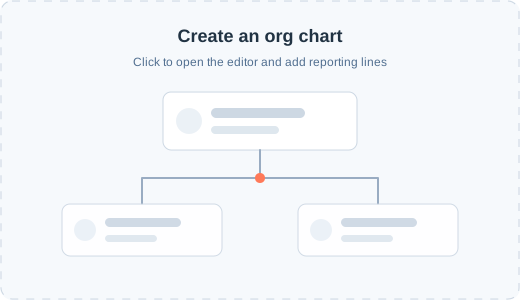
As more businesses depend on HubSpot CRM to centralize customer data, many users quickly discover a significant limitation: the lack of an org chart tool for CRM visualization. Visualizing company hierarchies and stakeholder relationships is vital for meaningful engagement and strategic selling, but HubSpot CRM lacks a built-in solution. This post explores why an org chart layer is essential, the gaps it leaves, and how to regain clarity over your CRM data.
Why Org Chart Visualization Matters in CRM
HubSpot CRM excels at tracking leads, deals, and touchpoints, but understanding decision-makers and reporting lines within a company is just as important. Here’s why CRM visualization with an org chart tool is a game-changer:
- Stakeholder Mapping: Sales teams can see who holds influence and who are the key decision-makers.
- Strategic Targeting: Marketers and sellers tailor communication based on hierarchy and responsibilities.
- Relationship Tracking: Identify new opportunities by visualizing connections across departments and teams.
Without this layer of CRM visualization, organizations risk flying blind when pursuing crucial deals.
Where HubSpot CRM Falls Short
While HubSpot CRM offers exceptional features, here’s where its visualization capabilities are limited:
- No Native Org Chart Tool: HubSpot contacts and companies are not visually represented, making it difficult to understand organizational structures.
- Manual Workarounds: Users must piece together org charts outside of HubSpot CRM, leading to fragmented data and inefficiencies.
- Reduced Account-Based Marketing (ABM) Effectiveness: ABM campaigns thrive on insight into account hierarchies—without visualization, these efforts are less precise.
- Missed Upsell/Cross-Sell Opportunities: Without seeing lateral relationships, cross-selling within an organization becomes challenging.
The Solution: Integrating Org Chart Tools with HubSpot CRM
Adding an org chart tool layer seamlessly bridges this gap and unlocks powerful CRM visualization within HubSpot CRM. Here’s how:
- Automatic Org Chart Creation: Tools like Lucidchart or specialized HubSpot integrations extract CRM data to build and update hierarchical org charts automatically.
- Enhanced Deal Management: Visual workflows help sales teams track multi-stakeholder engagement and pinpoint roadblocks.
- Data Consistency: Integrated org chart tools ensure all users see the same up-to-date relationship mapping, reducing errors and duplicated efforts.
How to Add an Org Chart Tool to HubSpot CRM
- Choose a Compatible Tool: Evaluate third-party tools or HubSpot Marketplace apps that offer org chart integration.
- Sync CRM Data: Connect your HubSpot CRM account and map fields (such as contact roles, reporting lines, departments).
- Customize Visualization: Tailor the chart to your sales process, highlighting key influencers or blockers.
- Use in Daily Workflows: Integrate org chart views into deal records or company profiles for always-on access during calls, meetings, or strategy sessions.
Top Org Chart Tools for HubSpot CRM
If you’re ready to enhance your CRM visualization, here are a few solutions to consider:
- Lucidchart for HubSpot: Offers dynamic org chart generation directly from CRM data.
- OrgChartHub: Built specifically for HubSpot, enabling direct sync and easy embedding into CRM views.
- Microsoft Visio (with Connectors): Ideal for teams already using Microsoft 365, though setup may be more complex.
Conclusion: Empower Your Teams with Better CRM Visualization
The absence of an org chart layer is a missing link in HubSpot CRM’s otherwise robust feature set. By integrating an org chart tool, you transform static contact lists into actionable relationship maps. Enhanced CRM visualization means better deal outcomes, improved account management, and higher team efficiency.
Ready to bridge the gap? Start evaluating org chart tools for HubSpot CRM today, and unlock strategic insights in every customer interaction.
FAQs:
Q: Does HubSpot CRM have built-in org chart functionality?
A: Not currently. You need a third-party org chart tool to add this layer.
Q: Can visualization tools sync in real-time with HubSpot CRM?
A: Yes, most integration tools update org charts automatically as CRM data changes.
Q: Is CRM visualization useful for small teams?
A: Absolutely—understanding relationships can benefit organizations of any size, especially in complex or high-value sales environments.
For more insight into enhancing HubSpot CRM or tips on sales operations, subscribe to our blog and stay ahead in CRM best practices!